
College Board Announces Key AP Program Updates for the 2026–27 School Year
College Board Announces Key AP Program Updates for the 2026–27 School Year KAEC 2026년 09월 04일 ...

Advanced Placement (AP) is a program developed by the College Board that allows high school students to take college-level courses and demonstrate their academic readiness through standardized examinations. By earning qualifying scores, students may receive college credit, advanced placement, or both at many universities. More than 99% of colleges and universities worldwide maintain policies for recognizing AP scores for credit or course placement. The College Board provides guidelines and tools to help institutions establish policies that align with their educational standards and academic programs.
Qualifying scores can be used to earn college credit, secure advanced placement, or gain entry into upper-level major courses, helping students reduce their academic time and save on tuition costs. AP exams are administered annually in May. AP courses are offered across a wide range of academic disciplines, including humanities, social sciences, natural sciences, mathematics, and the arts. Each university’s AP credit policies and criteria can be checked using the AP Credit Policy Search tool. Depending on the subject, exams may include multiple-choice and free-response questions, or portfolio and performance task assessments.
The Korean-American Educational Commission (KAEC) has been an authorized AP test provider since 2008. KAEC operates official AP test centers in Seoul and Jeju, ensuring stable and reliable exam administration.
Students whose schools do not offer AP courses or who are unable to take AP exams at their schools may register and take AP exams through the KAEC test centers.
Please review the information below. If you have additional questions, please refer to the full FAQ page for further details.
To register for an AP Exam, a student must be affiliated with a high school and may take the exam through their own school, another AP-authorized school, or a designated test center.
“Affiliated with a high school” includes the following:
Most AP Exams are administered digitally (Fully Digital or Hybrid Digital) via Bluebook. A few remaining subjects are administered in a different format. For more details, please refer to the College Board Announcements and KAEC AP News.
In accordance with the College Board’s operational changes for the 2027 AP Exams, the exam formats for certain subjects will change as follows.
Students taking the applicable exams should check the Testing Center News page for further updates and details.
In accordance with the College Board’s operational changes for the 2027 AP Exams, the exam formats for certain subjects will change as follows.
Students taking the applicable exams should check the Testing Center News page for further updates and details.
2027 KAEC AP Standard Exam Schedule (Seoul)
| Exam Start Times | Session 1 (10:00 AM KST) | Session 2 (02:00 PM KST) |
|---|---|---|
| Monday, May 3, 2027 | Human Geography Physics C: Mechanics |
Biology Italian Language and Culture ⁶ |
| Tuesday, May 4, 2027 | Business with Personal Finance United States Government and Politics |
European History Microeconomics |
| Wednesday, May 5, 2027 | Cybersecurity English Literature and Composition |
Physics 1: Algebra-Based Physics C: Electricity and Magnetism |
| Thursday, May 6, 2027 | French Language and Culture ⁶ Physics 2: Algebra-Based World History: Modern |
African American Studies ⁴ Chemistry |
| Friday, May 7, 2027 | German Language and Culture ⁶ United States History |
Macroeconomics |
| Monday, May 10, 2027 | Calculus AB Calculus BC |
Music Theory Seminar ¹ |
| Tuesday, May 11, 2027 | Japanese Language and Culture ⁶ Precalculus |
Statistics |
| Wednesday, May 12, 2027 | English Language and Composition | Art History Computer Science A |
| Thursday, May 13, 2027 | Spanish Language and Culture ⁶ | Chinese Language and Culture ⁶ Environmental Science |
| Friday, May 14, 2027 | Comparative Government and Politics Computer Science Principles ² Spanish Literature and Culture |
Latin ⁵ Psychology |
Other Offered AP Courses: AP Research ¹, AP 2-D Art and Design ³, AP 3-D Art and Design ³, AP Drawing ³
2027 KAEC AP Standard Exam Schedule (Jeju)
| Exam Start Times | Session 1 (10:00 AM KST) | Session 2 (02:00 PM KST) |
|---|---|---|
| Monday, May 3, 2027 | Human Geography Physics C: Mechanics |
Biology |
| Tuesday, May 4, 2027 | United States Government and Politics | European History Microeconomics |
| Wednesday, May 5, 2027 | English Literature and Composition | Physics 1: Algebra-Based Physics C: Electricity and Magnetism |
| Thursday, May 6, 2027 | Physics 2: Algebra-Based World History: Modern |
Chemistry |
| Friday, May 7, 2027 | United States History | Macroeconomics |
| Monday, May 10, 2027 | Calculus AB Calculus BC |
- |
| Tuesday, May 11, 2027 | Precalculus | Statistics |
| Wednesday, May 12, 2027 | English Language and Composition | Art History Computer Science A |
| Thursday, May 13, 2027 | - | Environmental Science |
| Friday, May 14, 2027 | Comparative Government and Politics Computer Science Principles ¹ |
Psychology |
2027 KAEC AP Late-Testing Schedule (Seoul Center Only)
| Exam Start Times | Session 1 (10:00 AM KST) | Session 2 (02:00 PM KST) |
|---|---|---|
| Monday, May 17, 2027 | English Literature and Composition European History |
Business with Personal Finance French Language and Culture ⁶ Human Geography |
| Tuesday, May 18, 2027 | Art History Italian Language and Culture ⁶ Seminar ¹ United States Government and Politics |
Japanese Language and Culture ⁶ United States History World History: Modern |
| Wednesday, May 19, 2027 | Biology Microeconomics Physics 1: Algebra-Based |
Spanish Language and Culture ⁶ Spanish Literature and Culture |
| Thursday, May 20, 2027 | Chemistry Computer Science A Environmental Science Physics C: Electricity and Magnetism Precalculus |
Calculus AB Calculus BC Comparative Government and Politics Physics C: Mechanics |
| Friday, May 21, 2027 | Macroeconomics Psychology Statistics Chinese Language and Culture ⁶ |
Computer Science Principles ² Physics 2: Algebra-Based |
Please review the information below. If you have additional questions, please refer to the full FAQ page for further details.
Subjects not listed on the schedule are either not administered by KAEC or are offered only in either the Standard or Late testing schedule. You will need to individually check whether there are AP testing institutions (schools) in Korea that administer the subject and whether they allow exam registration for external students who are not enrolled at their school.
Among the subjects not listed on the schedule, registration is supported for AP Research and AP Art and Design (AP Drawing, AP 2-D Art and Design, AP 3-D Art and Design). These subjects do not have a set exam date, and coursework must be submitted individually by 11:59 p.m. ET on April 30, 2027 for AP Research, and by 11:59 p.m. ET on May 7, 2027 for AP Art and Design subjects. As with other subjects, you can register on the KAEC AP Registration page.
The following are important notes to consider when registering for the exams for AP Seminar, AP Research, AP Computer Science Principles, and AP Art and Design (AP 2-D Art and Design, AP 3-D Art and Design, AP Drawing). For detailed information about each subject and exam, please refer to the subject descriptions on the College Board website.
AP Seminar:
AP Research:
AP Computer Science Principles:
Starting from the 2022–23 academic year, AP CSP students may register for the exam even if they are not enrolled in an AP CSP course operated by an AP Teacher.
AP Art and Design (AP 2-D Art and Design, AP 3-D Art and Design, AP Drawing):
Starting from the 2022–23 academic year, AP Art and Design students are not required to submit physical artworks and only need to submit a Digital Portfolio.
You will need to contact the relevant institution (school) directly to inquire whether they allow exam registration for external students.
Detailed instructions for the exam registration process can be found in the YouTube video below.
Please log in to your College Board account or create a new one. Verify your personal information, such as your name and email address, and provide the exact same details when registering for the KAEC AP exam.
✔Learn more about important details regarding the College Board account+
Log in to your College Board account before registering for the AP exams.
The personal information in your College Board account must match the information submitted to KAEC, and your name must be your legal English name. Before registering, please make sure that your name is your legal name (not a nickname), that your first name and last name are entered correctly, that your date of birth is accurate, and that you are using the correct email address associated with your account. If there are any issues with your personal information, you must contact College Board to correct the information and inform KAEC in advance.
This is the fee information for AP 2027.
Please pay the AP exam fee according to the instructions provided on the screen after registration or in the confirmation email sent to you.
| 2027 AP 1st Registration | 2027 AP 2nd Registration | |
|---|---|---|
| Registration Period | August 10, 2026, 9:00 AM (KST) – November 10, 2026, 5:00 PM (KST) | November 18, 2026, 9:00 AM (KST) – March 9, 2027, 5:00 PM (KST) |
| Exam Fees | AP Standard: 320,000 KRW AP Late: 380,000 KRW |
AP Standard: 380,000 KRW AP Late: 440,000 KRW |
The AP exam fee is based on the U.S. dollar amount and may vary depending on exchange rate changes.
| 2027 AP 1st Registration | 2027 AP 2nd Registration | |
|---|---|---|
| Registration Period | August 10, 2026, 9:00 AM (KST) – November 10, 2026, 5:00 PM (KST) |
November 18, 2026, 9:00 AM (KST) – March 9, 2027, 5:00 PM (KST) |
| Refund Policy |
AP Standard · On or before November 10, 2026, 5:00 PM: Refund of 190,000 KRW · Between November 10, 5:00 PM and March 9, 2027, 5:00 PM: Refund of 150,000 KRW · After March 9, 2027, 5:00 PM: No Refund AP Late · On or before November 10, 2026, 5:00 PM: Refund of 250,000 KRW · Between November 10, 5:00 PM and March 9, 2027, 5:00 PM: Refund of 170,000 KRW · After March 9, 2027, 5:00 PM: No Refund |
AP Standard · On or before March 9, 2027, 5:00 PM (Before the 2nd Registration Deadline): Refund of 170,000 KRW · After March 9, 2027, 5:00 PM: No Refund AP Late · On or before March 9, 2027, 5:00 PM (Before the 2nd Registration Deadline): Refund of 200,000 KRW · After March 9, 2027, 5:00 PM: No Refund |
All notifications and instructions regarding payment confirmation, Join Code, and other related information will be sent to the student’s and parent/guardian’s email.
Please review the information below. If you have additional questions, please refer to the full FAQ page for further details.
If your school does not have an AP School Code, please use the Homeschool Code for your region.
Please refer to the document for the Homeschool Code list.
The Homeschool Code for Korea is 996897.
The AP Registration Password is a password that you create when registering for the exam for the first time.
It is used only within the KAEC AP Registration System, which is operated independently by KAEC.
On this page, you can check the status of your exam order (such as payment confirmation and exam upload status) as well as the personal information you entered.
If the exam upload has been completed (when the “Review My AP” button is activated), please make sure to log in to your College Board account and confirm your exam registration details.
(In some cases, the account linking may not be completed properly.)
Students who have registered for an AP exam with KAEC since 2024 can enter the previously used email address and AP Registration Password and click the “Load Information” button to retrieve their personal information.
Students registering for an AP exam with KAEC for the first time should proceed without clicking the “Load Information” or “Sign In” buttons. The AP Registration Password entered will then be set as a new password.
The AP Registration Password is different from your College Board account password.
Please set a password that is easy for you to remember.
If a subject shows “No seats available” during the registration period, it means that all seats for that subject are already filled.
However, if other students cancel their registration during the registration period, the canceled seats will be reflected in real time. Please check the system periodically to see if seats become available.
Waiting lists are not operated.
The number of seats for each subject is fixed, and no additional seats are created during the second registration period.
The number of seats available during the second registration period is calculated by subtracting the number of registrations completed during the first registration period from the total seat capacity.
Therefore, if a subject becomes fully booked during the first registration period, the seat capacity for the second registration period will be zero.
However, if students cancel their exams before the end of the second registration period, the canceled seats will be continuously reflected in the available seat count.
After submitting the exam registration form, the bank account information will be displayed.
The same information will also be sent to the student and parent by email.
Please use this information to complete the payment.
Credit card payments are not supported.
There may have been an error in sending the message or email, or the payment confirmation may not have been processed if the depositor’s name is different from the student’s name.
Please contact us by phone (+82-2-3275-4000, Press 2) or by email (testing@fulbright.or.kr) for assistance.
The AP Join Code is a registration method commonly used by AP schools, allowing students to complete AP course registration quickly and accurately through their College Board accounts.
Starting with the 2025 exam, KAEC provides individual Join Codes so that students can complete exam registration more accurately through their own accounts and take the exam without issues related to account linking.
Immediately after receiving the payment confirmation, the exam registration may not yet appear in your My AP account.
If you received an email or message regarding the Join Code, please complete your exam registration using the Join Code.
Refer to the FAQ above: “What is the AP Join Code?”
If you did not receive a Join Code notification or if the input deadline has passed, KAEC will upload the exam registration information directly to College Board.
After the upload is completed, students and parents will receive an email notification requesting them to check their My AP account.
If you have already entered the Join Code or received the upload completion notice but still do not see the exam, or if more than two weeks have passed since payment, please contact KAEC at testing@fulbright.or.kr
Possible reasons include:
The exam may already be registered at another school.
The information entered during KAEC registration may not match the information used for the College Board account.
In such cases, KAEC will assist you in completing the exam registration or requesting an account merge with College Board.
If the payment has not yet been confirmed, the student can edit the information directly.
Please access the KAEC AP Registration System and enter the College Board Email Address and the AP Registration Password you set during registration.
Before payment confirmation, you can directly edit your information, add subjects, or delete subjects on this page.
You may also request corrections through KAEC by email.
Please send your basic information (name and date of birth) along with the information you wish to correct to testing@fulbright.or.kr
If payment has been completed but the exam order has not yet been uploaded to College Board, please email KAEC with your basic information (name and date of birth) and the information you want to modify.
If personal information needs to be corrected after the exam order has been uploaded to College Board, the student must request the change directly from College Board.
If you are unsure of your current registration status, please contact KAEC for assistance.
Cancellation and refund requests must be submitted through the KAEC AP Registration System.
1. On the My Registration page, click the Reg. # for the exam you wish to cancel.
2. On the page displaying the Registration Status and yellow box, select the exam you want to cancel and click the “Cancel Registration” button.
3. Enter the bank information for the refund and submit the request.
The submission result, cancellation result, and refund result will all be sent to the student/parent via email.
Please review the refund policy and refund amount carefully before submitting a cancellation request.
Once a cancellation request is submitted, the exam seat reservation will be automatically canceled. Re-registration may not be possible, or additional fees may apply.
(* Students who have not yet completed their payment can remove unpaid subjects by using the ‘Delete Exam’ button within the KAEC AP Registration System.)
KAEC operates on an AP Exam Only basis and is not connected to AP Classroom.
Students who take AP courses at school can request access to resources from their AP teacher, but students who register only for the exam through KAEC cannot access AP Classroom resources.
Changes to exam dates for a currently registered subject can be made as follows:
– Changing from Late-testing to Standard testing: Available until March 12, 2027
– Changing from Standard to Late-testing: Available until April 21, 2027
– Note: Seat availability is required for the requested date, and additional fees (e.g., late-testing fee, late order fee) may apply.
– How to request a change: Please email KAEC (testing@fulbright.or.kr) with the student’s basic information (name, date of birth) and the subject to be changed. Ensure the new exam time does not conflict with any other scheduled exams before submitting your request.
Changing to a completely different subject or moving between Seoul and Jeju test centers is not possible.
In such cases, you must cancel the existing subject and register for a new subject within the registration period.
Please refer to the cancellation instructions above.
As a general rule, to prevent duplicate registration, we recommend canceling your exam at your current institution and then newly registering with KAEC. However, if canceling your existing registration is difficult, you can exceptionally transfer your exam using a Transfer Code.
What is a Transfer Code? A code used to transfer an existing institution’s AP exam registration details to KAEC, issued individually for each subject.
Important Note Before Applying: To prevent duplicate exam registrations, you must inform the AP coordinator at your current school or testing institution of your intention to transfer before proceeding.
How to Apply:
Complete standard registration and payment through the KAEC registration system.
After reviewing the student’s registration status, KAEC will provide the Transfer Code and further instructions if the transfer is deemed appropriate. (A screenshot of your AP Classroom registration screen may be requested during the review process.)
If you maintain your school class while taking the exam only at KAEC: Your exam will be transferred using the code provided by KAEC. If this process removes you from your existing school’s AP class list, you can re-enroll in the class by re-entering the Join Code provided by your school.
Cost-related: Even when transferring your exam to KAEC, you must pay the standard KAEC exam fee. Whether and how the fees you already paid to your previous institution are refunded or adjusted will be subject to that institution’s own policies.
Information regarding test day procedures, required items, and important guidelines can be found in the YouTube video below.
Candidates must arrive at the test center at least one hour before the exam starts.
• Session 1 Exam (10:00 a.m.): Check-in at 9:00 a.m.
• Session 2 Exam (2:00 p.m.): Check-in at 1:00 p.m.
For the 2027 AP exams, KAEC operates a total of three test centers: two in Seoul (Main Building / Seoul Garden Hotel) and one in Jeju (Hotel Sirius: 133 Doryeong-ro, Jeju-si). Test centers can be selected during registration. Please note that only Calculus exams will be administered at the Seoul Garden Hotel test center. Examinees in the Seoul area must be aware that the 'KAEC Main Building' and the 'Seoul Garden Hotel' are separate buildings, so please make sure to verify your specific test location based on your exam subject before attending.
You must bring a valid, physical ID for identification purposes.
• Acceptable for Korean citizens: Passport, Resident Registration Card, Youth ID Card, Driver's License
• Acceptable for foreign nationals: Foreign Passport (Other government-issued IDs are not accepted)
※ Unacceptable (Not recognized): Student ID, Digital/Mobile ID (PASS app, etc.), Expired ID
• Testing device (For Digital AP examsubjects only): A Windows, Mac, or iPad device with the Bluebook™ application installed, and a charging cable.
• Pencils, pens (black or dark blue), and other materials required for specific exam subjects (e.g., calculators, rulers, etc.).
• Examinees must thoroughly review the detailed guidelines regarding permitted and prohibited items in the test center.
Please review the information below. If you have additional questions, please refer to the full FAQ page for further details.
If you do not plan to take the exam, please submit a cancellation request. Depending on the timing of your cancellation, you may be eligible for a partial refund, and your cancellation may allow another student to register for the exam.
Cancellation and refund requests must be submitted through the KAEC AP Registration System. Please review the refund policy and applicable refund amounts carefully before submitting your request.
Once a cancellation request has been processed, re-registration for the exam may not be available.
Beginning three weeks before the exam date, there is no need to submit a cancellation request. Simply not attending the exam on the scheduled test date will be treated as a cancellation. A no-show will be processed in the same manner as an exam cancellation.
Log In: Go to the KAEC (Korean-American Educational Commission) AP Exam Registration website and log in.
Click Your Registration #: Navigate to the ‘My Registration’ menu at the top, then click on your Registration # (the number itself) to access the details page.
Select Your Exam Subject: Scroll down to the ‘REGISTER FOR AP EXAMS’ section on the details page and click on the name of the exam subject you registered for (e.g., Calculus AB).
View and Print: Your Admission Ticket will open in a pop-up or new window. Review the details and click the print button to print it out.
Please arrive one hour before the exam begins. You must arrive by 9:00 a.m. for the Session 1 Exam (10:00 a.m.), and by 1:00 p.m. for the Session 2 Exam (2:00 p.m.). Check-in must be completed 30 minutes prior to the exam. Under no circumstances will you be allowed to enter the testing room once the exam has started.
You can confirm the test location you selected during registration in your email confirmation or in the KAEC AP Registration System.
When you arrive at the building, a candidate list will be posted at the first-floor entrance. Please find your name on the list and check your assigned test room, then proceed to the designated room.
Parents and guardians are not allowed to enter the testing rooms or waiting areas.
Exam durations vary by subject, but generally take about 3-4 hours. Session 1 Exams starting at 10:00 a.m. will typically end between 1:00 p.m. and 1:30 p.m. For detailed exam durations by subject, please refer to the specific exam information on the College Board website. Please account for break times and check-in procedures, and expect the overall process to finish about 30 minutes to an hour later than the designated exam duration.
You can take Session 1 and Session 2 exams back-to-back at the same test center. Session 2 Exams will begin after all Session 1 Exams have concluded and the testing room has been reset for 20-30 minutes, so the schedules will not overlap. Once all morning exams are finished, please follow the proctor’s instructions or check the candidate list at the entrance again, and then proceed to your assigned testing room for the afternoon. However, due to time constraints, it will be difficult to go outside for lunch. Please bring a light meal or snacks to eat before the afternoon exam begins.
Parking is not available inside the KAEC test center building. Please use nearby public parking facilities.
If the exam is conducted at an external hotel venue, please follow the hotel’s parking instructions. Parking fees are not reimbursed.
Copies of IDs (photocopies or photos of IDs) are not accepted under any circumstances.
You must present the original physical ID to the proctor. The ID must match your name and date of birth, include a photograph for identification, and be valid on the test day.
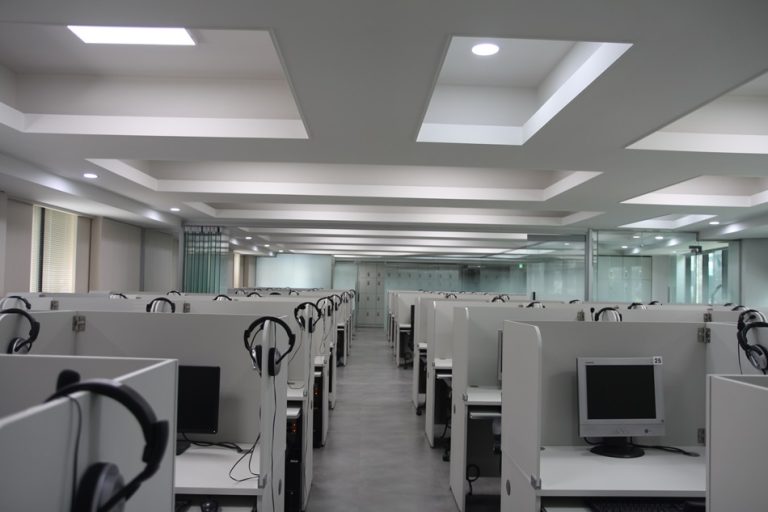
No, personal headsets are not permitted. According to regulations, all examinees must use the headsets provided at the test center.
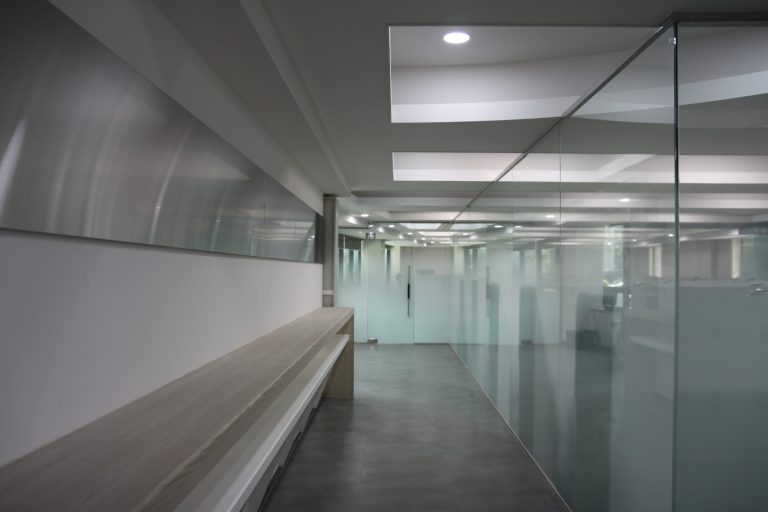
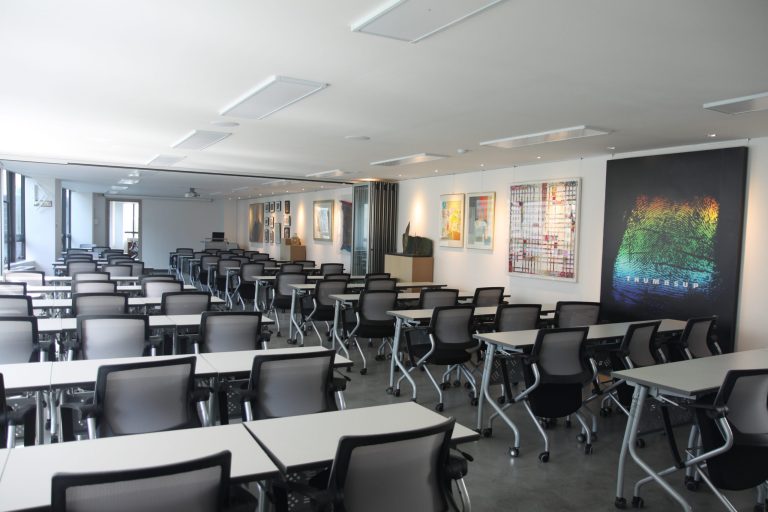
To help reduce confusion on the test day, we provide a 3D tour of the test center, including the entry routes and the testing room environment.
To register for an AP Exam, a student must be affiliated with a high school and may take the exam through their own school, another AP-authorized school, or a designated test center.
“Affiliated with a high school” includes the following:
Most AP Exams are administered digitally (Fully Digital or Hybrid Digital) via Bluebook. A few remaining subjects are administered in a different format. For more details, please refer to the College Board Announcements and KAEC AP News.
In accordance with the College Board’s operational changes for the 2027 AP Exams, the exam formats for certain subjects will change as follows.
Students taking the applicable exams should check the Testing Center News page for further updates and details.
Subjects not listed on the schedule are either not administered by KAEC or are offered only in either the Standard or Late testing schedule. You will need to individually check whether there are AP testing institutions (schools) in Korea that administer the subject and whether they allow exam registration for external students who are not enrolled at their school.
Among the subjects not listed on the schedule, registration is supported for AP Research and AP Art and Design (AP Drawing, AP 2-D Art and Design, AP 3-D Art and Design). These subjects do not have a set exam date, and coursework must be submitted individually by 11:59 p.m. ET on April 30, 2027 for AP Research, and by 11:59 p.m. ET on May 7, 2027 for AP Art and Design subjects. As with other subjects, you can register on the KAEC AP Registration page.
The following are important notes to consider when registering for the exams for AP Seminar, AP Research, AP Computer Science Principles, and AP Art and Design (AP 2-D Art and Design, AP 3-D Art and Design, AP Drawing). For detailed information about each subject and exam, please refer to the subject descriptions on the College Board website.
AP Seminar:
AP Research:
AP Computer Science Principles:
Starting from the 2022–23 academic year, AP CSP students may register for the exam even if they are not enrolled in an AP CSP course operated by an AP Teacher.
AP Art and Design (AP 2-D Art and Design, AP 3-D Art and Design, AP Drawing):
Starting from the 2022–23 academic year, AP Art and Design students are not required to submit physical artworks and only need to submit a Digital Portfolio.
You will need to contact the relevant institution (school) directly to inquire whether they allow exam registration for external students.
If your school does not have an AP School Code, please use the Homeschool Code for your region.
Please refer to the document for the Homeschool Code list.
The Homeschool Code for Korea is 996897.
The AP Registration Password is a password that you create when registering for the exam for the first time.
It is used only within the KAEC AP Registration System, which is operated independently by KAEC.
On this page, you can check the status of your exam order (such as payment confirmation and exam upload status) as well as the personal information you entered.
If the exam upload has been completed (when the “Review My AP” button is activated), please make sure to log in to your College Board account and confirm your exam registration details.
(In some cases, the account linking may not be completed properly.)
Students who have registered for an AP exam with KAEC since 2024 can enter the previously used email address and AP Registration Password and click the “Load Information” button to retrieve their personal information.
Students registering for an AP exam with KAEC for the first time should proceed without clicking the “Load Information” or “Sign In” buttons. The AP Registration Password entered will then be set as a new password.
The AP Registration Password is different from your College Board account password.
Please set a password that is easy for you to remember.
If a subject shows “No seats available” during the registration period, it means that all seats for that subject are already filled.
However, if other students cancel their registration during the registration period, the canceled seats will be reflected in real time. Please check the system periodically to see if seats become available.
Waiting lists are not operated.
The number of seats for each subject is fixed, and no additional seats are created during the second registration period.
The number of seats available during the second registration period is calculated by subtracting the number of registrations completed during the first registration period from the total seat capacity.
Therefore, if a subject becomes fully booked during the first registration period, the seat capacity for the second registration period will be zero.
However, if students cancel their exams before the end of the second registration period, the canceled seats will be continuously reflected in the available seat count.
After submitting the exam registration form, the bank account information will be displayed.
The same information will also be sent to the student and parent by email.
Please use this information to complete the payment.
Credit card payments are not supported.
There may have been an error in sending the message or email, or the payment confirmation may not have been processed if the depositor’s name is different from the student’s name.
Please contact us by phone (+82-2-3275-4000, Press 2) or by email (testing@fulbright.or.kr) for assistance.
The AP Join Code is a registration method commonly used by AP schools, allowing students to complete AP course registration quickly and accurately through their College Board accounts.
Starting with the 2025 exam, KAEC provides individual Join Codes so that students can complete exam registration more accurately through their own accounts and take the exam without issues related to account linking.
Immediately after receiving the payment confirmation, the exam registration may not yet appear in your My AP account.
If you received an email or message regarding the Join Code, please complete your exam registration using the Join Code.
Refer to the FAQ above: “What is the AP Join Code?”
If you did not receive a Join Code notification or if the input deadline has passed, KAEC will upload the exam registration information directly to College Board.
After the upload is completed, students and parents will receive an email notification requesting them to check their My AP account.
If you have already entered the Join Code or received the upload completion notice but still do not see the exam, or if more than two weeks have passed since payment, please contact KAEC at testing@fulbright.or.kr
Possible reasons include:
The exam may already be registered at another school.
The information entered during KAEC registration may not match the information used for the College Board account.
In such cases, KAEC will assist you in completing the exam registration or requesting an account merge with College Board.
If the payment has not yet been confirmed, the student can edit the information directly.
Please access the KAEC AP Registration System and enter the College Board Email Address and the AP Registration Password you set during registration.
Before payment confirmation, you can directly edit your information, add subjects, or delete subjects on this page.
You may also request corrections through KAEC by email.
Please send your basic information (name and date of birth) along with the information you wish to correct to testing@fulbright.or.kr
If payment has been completed but the exam order has not yet been uploaded to College Board, please email KAEC with your basic information (name and date of birth) and the information you want to modify.
If personal information needs to be corrected after the exam order has been uploaded to College Board, the student must request the change directly from College Board.
If you are unsure of your current registration status, please contact KAEC for assistance.
Cancellation and refund requests must be submitted through the KAEC AP Registration System.
1. On the My Registration page, click the Reg. # for the exam you wish to cancel.
2. On the page displaying the Registration Status and yellow box, select the exam you want to cancel and click the “Cancel Registration” button.
3. Enter the bank information for the refund and submit the request.
The submission result, cancellation result, and refund result will all be sent to the student/parent via email.
Please review the refund policy and refund amount carefully before submitting a cancellation request.
Once a cancellation request is submitted, the exam seat reservation will be automatically canceled. Re-registration may not be possible, or additional fees may apply.
(* Students who have not yet completed their payment can remove unpaid subjects by using the ‘Delete Exam’ button within the KAEC AP Registration System.)
KAEC operates on an AP Exam Only basis and is not connected to AP Classroom.
Students who take AP courses at school can request access to resources from their AP teacher, but students who register only for the exam through KAEC cannot access AP Classroom resources.
Changes to exam dates for a currently registered subject can be made as follows:
– Changing from Late-testing to Standard testing: Available until March 12, 2027
– Changing from Standard to Late-testing: Available until April 21, 2027
– Note: Seat availability is required for the requested date, and additional fees (e.g., late-testing fee, late order fee) may apply.
– How to request a change: Please email KAEC (testing@fulbright.or.kr) with the student’s basic information (name, date of birth) and the subject to be changed. Ensure the new exam time does not conflict with any other scheduled exams before submitting your request.
Changing to a completely different subject or moving between Seoul and Jeju test centers is not possible.
In such cases, you must cancel the existing subject and register for a new subject within the registration period.
Please refer to the cancellation instructions above.
As a general rule, to prevent duplicate registration, we recommend canceling your exam at your current institution and then newly registering with KAEC. However, if canceling your existing registration is difficult, you can exceptionally transfer your exam using a Transfer Code.
What is a Transfer Code? A code used to transfer an existing institution’s AP exam registration details to KAEC, issued individually for each subject.
Important Note Before Applying: To prevent duplicate exam registrations, you must inform the AP coordinator at your current school or testing institution of your intention to transfer before proceeding.
How to Apply:
Complete standard registration and payment through the KAEC registration system.
After reviewing the student’s registration status, KAEC will provide the Transfer Code and further instructions if the transfer is deemed appropriate. (A screenshot of your AP Classroom registration screen may be requested during the review process.)
If you maintain your school class while taking the exam only at KAEC: Your exam will be transferred using the code provided by KAEC. If this process removes you from your existing school’s AP class list, you can re-enroll in the class by re-entering the Join Code provided by your school.
Cost-related: Even when transferring your exam to KAEC, you must pay the standard KAEC exam fee. Whether and how the fees you already paid to your previous institution are refunded or adjusted will be subject to that institution’s own policies.
The digital AP exam is neither harder nor easier than the paper exam. Statistical adjustments are made to ensure that the difficulty level of AP exam formats is aligned, so that the same standards apply regardless of the testing format.
Movement between the Multiple-Choice section (Section 1) and the Free-Response section (Section 2) is not allowed. Students must complete each designated section or part within the allotted time. Once a section is completed, students cannot return to it.
There is no character or length limit for Free-Response or Short-Answer responses.
Yes. The Bluebook app can be downloaded now. After installing the app, students can go to Practice and Prepare and access Test Preview.
Each Test Preview includes sample AP Multiple-Choice and Free-Response questions. Students may attempt the Test Preview as many times as they wish to become familiar with the tools in the app. Test Preview has no time limit, and students will not receive scores or feedback on their answers.
For Fully Digital AP Exams, students will complete both the Multiple-Choice and Free-Response sections in Bluebook. For more information, please refer to the Digital AP Exam information.
For Hybrid Digital AP Exams, students will complete the Multiple-Choice section in the Bluebook application. For the Free-Response section, students will view the prompts and questions in Bluebook and handwrite their responses in a separately provided paper test booklet. This booklet must be returned for scoring at the end of the exam. For more information, including a sample Free-Response Booklet, please refer to the Hybrid Digital AP Exam information.
For some AP subjects (AP Biology, AP Chemistry, AP Physics subjects, and AP Precalculus), the Free-Response Booklet includes graphs or diagrams where students can write their responses.
Supported devices include Windows and Mac laptops, iPads with a keyboard, and Windows tablets. Please refer to the Device Readiness page for detailed requirements.
All students must bring their own device. Please test in advance that the Bluebook app works properly on your device before bringing it to the exam. Students must also bring their charging cable. All seats at testing centers managed by KAEC provide power outlets for charging.
Power outlets are available at every seat in testing centers managed by KAEC. However, charging cables will not be provided, so please bring your own charging cable.
KAEC test centers have completed the necessary preparations to ensure a stable Wi-Fi environment and will follow the official checklist when preparing for the exam.
The Bluebook application is designed so that students can continue taking the exam even if the internet connection is temporarily lost. Answers are automatically saved even when offline. The testing device must be connected to the internet when starting the exam and submitting answers after the exam, but if the internet connection is lost during the test, students can continue without interruption. However, during the exam (including breaks), laptops or tablets must remain open and not closed.
After the exam, students will follow the proctor’s instructions to confirm the internet connection and answer submission status before leaving the test room. If answers could not be submitted on the exam day due to an internet issue, students may reconnect to the internet and submit their saved responses for up to four days after the exam.
The testing device must be connected to the internet when starting the exam and when submitting answers after the exam. If the device is not connected at these points, the exam cannot be started or the answers cannot be submitted. However, during the exam itself, the test will continue normally even without an internet connection, and answers will be automatically saved.
If you do not plan to take the exam, please submit a cancellation request. Depending on the timing of your cancellation, you may be eligible for a partial refund, and your cancellation may allow another student to register for the exam.
Cancellation and refund requests must be submitted through the KAEC AP Registration System. Please review the refund policy and applicable refund amounts carefully before submitting your request.
Once a cancellation request has been processed, re-registration for the exam may not be available.
Beginning three weeks before the exam date, there is no need to submit a cancellation request. Simply not attending the exam on the scheduled test date will be treated as a cancellation. A no-show will be processed in the same manner as an exam cancellation.
Once your exam registration is complete, you can view and print your admission ticket by following these steps:
Log In: Go to the KAEC (Korean-American Educational Commission) AP Exam Registration website and log in.
Click Your Registration #: Navigate to the ‘My Registration’ menu at the top, then click on your Registration # (the number itself) to access the details page.
Select Your Exam Subject: Scroll down to the ‘REGISTER FOR AP EXAMS’ section on the details page and click on the name of the exam subject you registered for (e.g., Calculus AB).
View and Print: Your Admission Ticket will open in a pop-up or new window. Review the details and click the print button to print it out.
Please arrive one hour before the exam begins. You must arrive by 9:00 a.m. for the 10:00 a.m. exam, and by 1:00 p.m. for the 2:00 p.m. exam. Check-in must be completed 30 minutes prior to the exam. Under no circumstances will you be allowed to enter the testing room once the exam has started.
You can confirm the test location you selected during registration in your email confirmation or in the KAEC AP Registration System.
When you arrive at the building, a candidate list will be posted at the first-floor entrance. Please find your name on the list and check your assigned test room, then proceed to the designated room.
Parents and guardians are not allowed to enter the testing rooms or waiting areas.
Exam durations vary by subject, but generally take about 3-4 hours. Exams starting at 10:00 a.m. will typically end between 1:00 p.m. and 1:30 p.m. For detailed exam durations by subject, please refer to the specific exam information on the College Board website. Please account for break times and check-in procedures, and expect the overall process to finish about 30 minutes to an hour later than the designated exam duration.
You can take Session 1 and Session 2 exams back-to-back at the same test center. Session 2 Exams will begin after all Session 1 Exams have concluded and the testing room has been reset for 20-30 minutes, so the schedules will not overlap. Once all morning exams are finished, please follow the proctor’s instructions or check the candidate list at the entrance again, and then proceed to your assigned testing room for the afternoon. However, due to time constraints, it will be difficult to go outside for lunch. Please bring a light meal or snacks to eat before the afternoon exam begins.
Parking is not available inside the KAEC test center building. Please use nearby public parking facilities.
If the exam is conducted at an external hotel venue, please follow the hotel’s parking instructions. Parking fees are not reimbursed.
Copies of IDs (photocopies or photos of IDs) are not accepted under any circumstances.
You must present the original physical ID to the proctor. The ID must match your name and date of birth, include a photograph for identification, and be valid on the test day.
No, personal headsets are not permitted. According to regulations, all examinees must use the headsets provided at the test center.
2026 AP Exam scores will be released sequentially beginning in early July 2026. Please refer to the College Board website for more information regarding score release.
For reference, 2025 AP Exam scores were released beginning on Monday, July 7, 2025 (U.S. Eastern Time).
AP scores are released based on U.S. Eastern Time (ET). Please note that not all scores are released on the announced score release date. While most AP scores become available in July, some scores may be delayed due to various circumstances, such as the late arrival of exam materials or the need for additional review and verification of testing records.
AP Services sends individual email notifications as scores become available. If your score has not been released by August 15, please contact AP Services.
If you wish to cancel an AP score, you must complete the AP Score Cancellation Form and send it to AP Services by mail or fax.
AP Services also provides an AP Score Withholding service in addition to score cancellation. For more information about score withholding, please refer to the FAQ item below (“Can I choose which scores to send to colleges or institutions?”) or visit the College Board website.
Students may request to withhold one or more AP exam scores from the score reports sent to colleges, universities, or scholarship programs (a fee applies). For more information, please refer to the College Board’s information on Withhold Scores.
Please check the FAQs for the AP Exam and the AI chatbot first.
Phone Inquiries
Online Inquiries
Please review the information below. If you have additional questions, please refer to the full FAQ page for further details.
2026 AP Exam scores will be released sequentially beginning in early July 2026. Please refer to the College Board website for more information regarding score release.
For reference, 2025 AP Exam scores were released beginning on Monday, July 7, 2025 (U.S. Eastern Time).
AP scores are released based on U.S. Eastern Time (ET). Please note that not all scores are released on the announced score release date. While most AP scores become available in July, some scores may be delayed due to various circumstances, such as the late arrival of exam materials or the need for additional review and verification of testing records.
AP Services sends individual email notifications as scores become available. If your score has not been released by August 15, please contact AP Services.
If you wish to cancel an AP score, you must complete the AP Score Cancellation Form and send it to AP Services by mail or fax.
AP Services also provides an AP Score Withholding service in addition to score cancellation. For more information about score withholding, please refer to the FAQ item below (“Can I choose which scores to send to colleges or institutions?”) or visit the College Board website.
Students may request to withhold one or more AP exam scores from the score reports sent to colleges, universities, or scholarship programs (a fee applies). For more information, please refer to the College Board’s information on Withhold Scores.
College Board Announces Key AP Program Updates for the 2026–27 School Year KAEC 2026년 09월 04일 ...
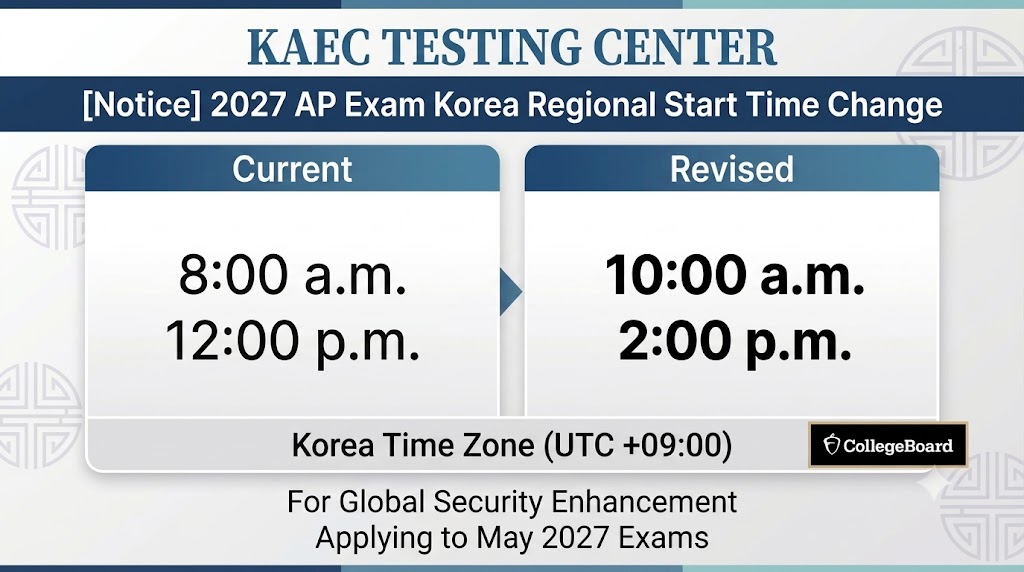
2027 AP Exam Start Time Changes for the Korea Region (10:00 AM / 2:00 PM) KAEC ...
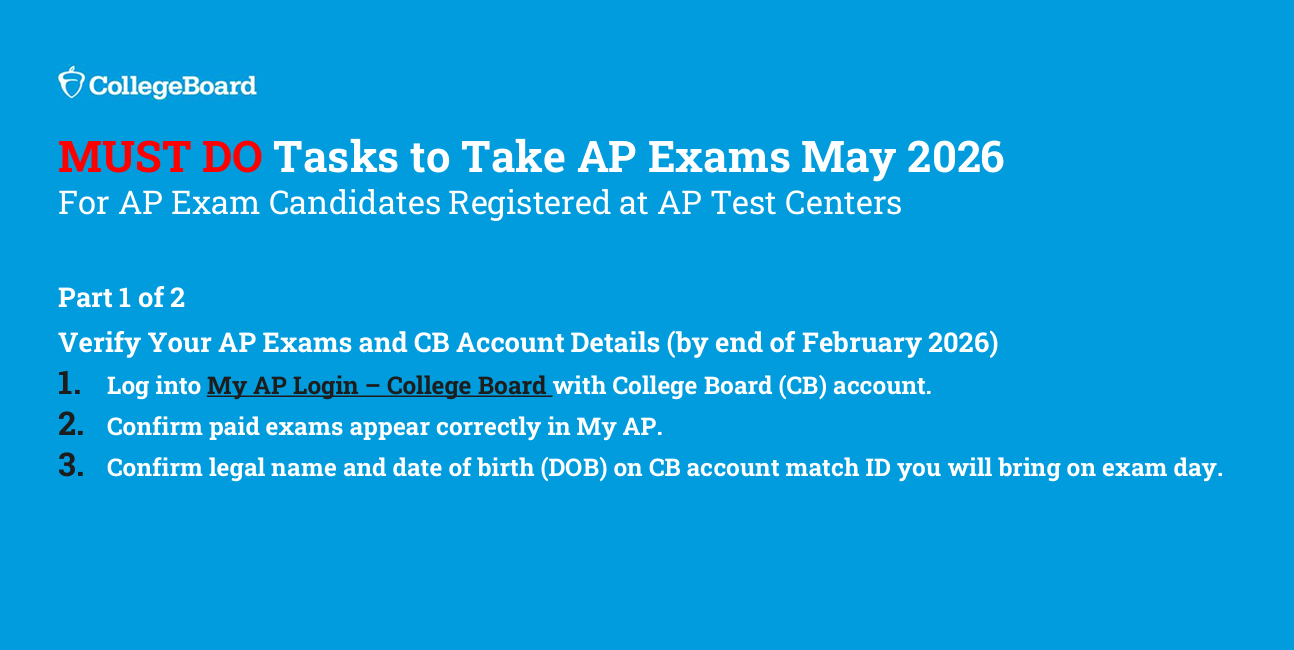
Students who have completed AP exam registration must verify that their exam registration status has been ...